
Learn how to configure CodeREADr’s Scan Tickets service to validate attendee tickets, prevent duplicate entries, and manage check-in staff for events of any size.
The Scan Tickets service turns any iOS or Android device into a ticket validator. It checks each scanned ticket against your attendee database in real time, flags duplicates, and lets multiple staff members scan simultaneously from their own devices.
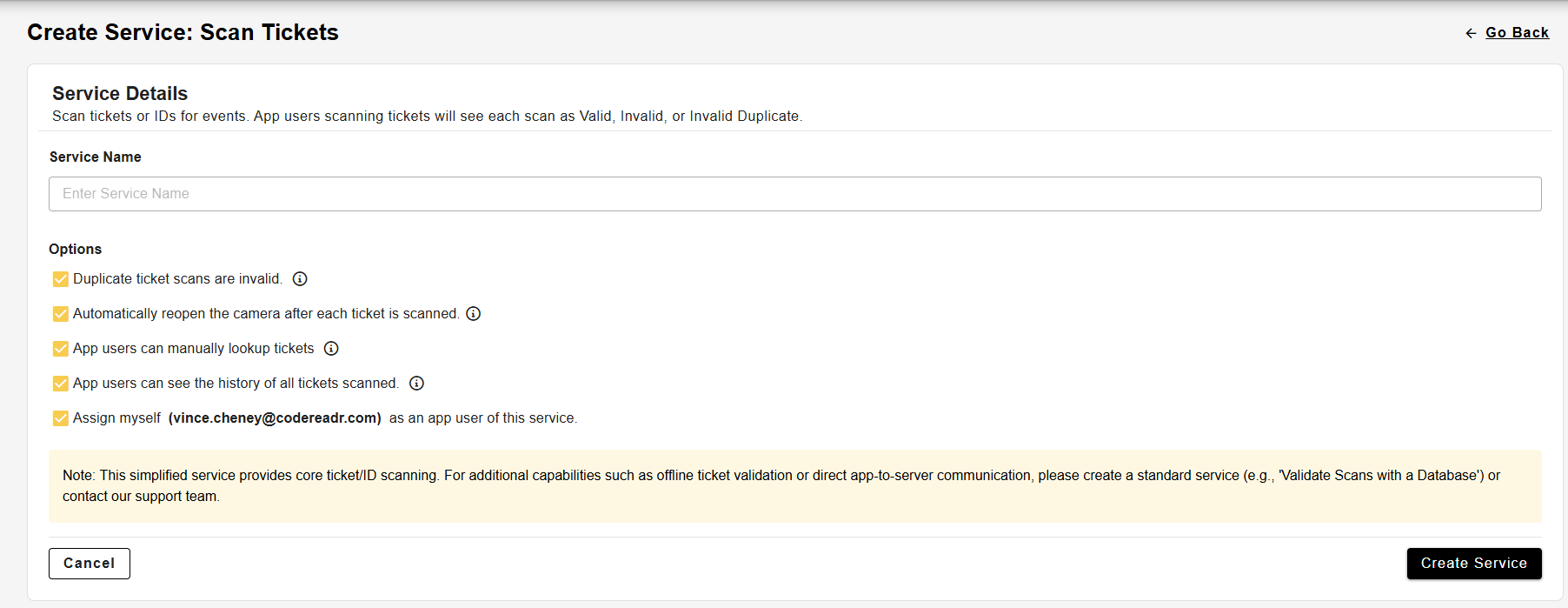
On the first step after selecting the Scan Tickets service, you can enter a name for the service. In addition, there are options with checkboxes to help you configure the service with ease. All of them are checked by default.
After the service is created, you can change these settings later on the “Manage” tab of the service.
Adding Tickets to the Database
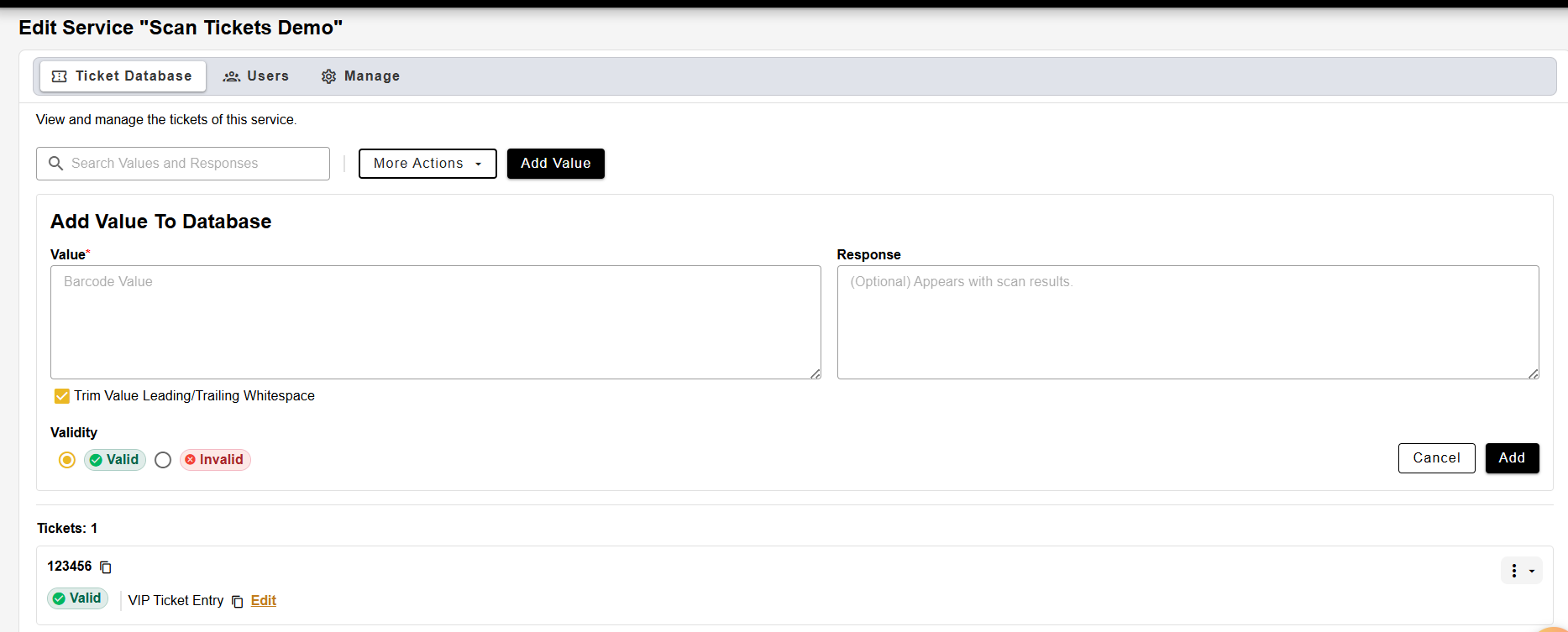
On the next step, you are brought to the database for the service. You can either choose to manually add values, or using the “More Actions” button, you can import a .CSV file of ticket values.
Optionally, you can also export the database to generate QR codes of all of the values inside of the database, autofill the database with randomized values, or “clear” the database to wipe it.
Adding App Users
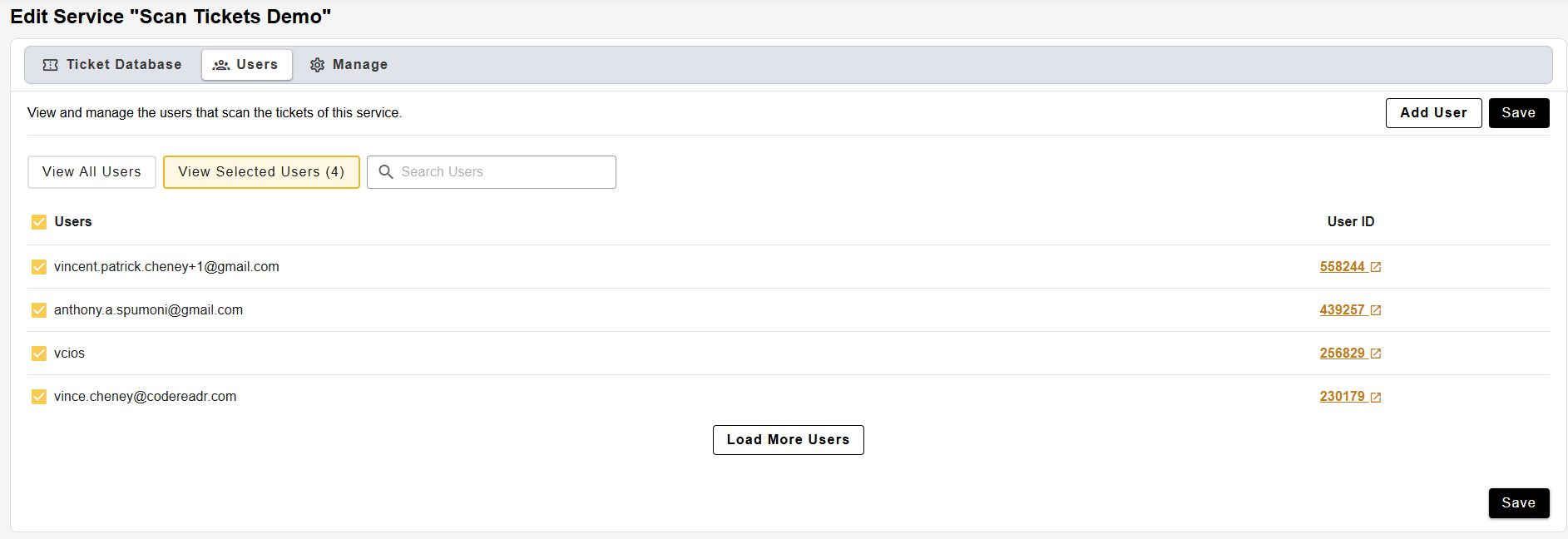
On the Users tab, you can add app users to be able to make scans with this service. Simply check the box next to each user to allow them to access it from the CodeREADr scanning application.
You may also add and invite new users on this page.
Scanning with the service
Once the service is active and staff are logged in, ticket scanning works as follows:
- Valid ticket — the app displays a green confirmation screen. The attendee is marked as checked in.
- Duplicate ticket — the app displays a red warning indicating the ticket has already been scanned.
- Invalid ticket — the app displays a red warning indicating the ticket is not in the database.
Scans are recorded in real time and visible in the Scans dashboard in your CodeREADr account, including a live attendance count.