Dec 31, 2025 • 2 min read
Eliminate Pallet Loading Errors
CATEGORIES
SOCIAL SHARE
Validate Loading Process Using BOL and Pallet Barcodes
Purpose
This process ensures that the correct pallets and the correct number of pallets are loaded onto a truck by validating pallet scans against a Bill of Lading (BOL) before shipment completion.
Note: The formats shown here are for example only. The BOL and Pallet barcodes can be any symbology (barcode type or format), including GS1 formats. The number of barcode values and separators can also be changed to meet the format used by your logistics system.
Barcode Definitions
Bill of Lading (BOL) Barcode
Symbology: Any barcode type (Code 39, Code 128, Data Matrix, QR Code, etc.)
Format: BBBBBBBBPPP
Element – BOL Number
Length – 8 digits – Generated by the logistics system (e.g., SAP)
Total Pallets – 3 digits – Required pallet count for the shipment
Example: 12345678005
Pallet Barcode
Symbology: Any barcode type (Code 39, Code 128, Data Matrix, QR Code, etc.)
Format: BBBBBBBB|NNN|PPP
Element – BOL Number
Length – 8 digits – Must match scanned BOL
Pallet Number – 3 digits – Sequential pallet ID
Total Pallets – 3 digits – Expected pallet count
Example:
12345678|001|005
Load Validation Flow
- Start: Initiate the loading process.
- Scan BOL Order Barcode: The app user scans the primary Bill of Lading (BOL).
- Validation Check (Optional):
– If Invalid: The system prompts the user to start over.
– If Valid: Proceed to pallet scanning. - Pallet Scanning Loop:
– Scan Pallet Barcode: Each pallet is scanned.
– Verify Match: The system checks if the Pallet BOL matches the BOL Order. - Monitor Count:
– If the pallet count exceeds the required total, an app user Warning is issued.
– If the required total is not yet met, the process remains Open (allowing for scanning to resume later). - Completion: Once the required number of pallets has been reached, the shipment is marked Complete.
- Data Export: The final scan data is uploaded to a database.
Key Operational Rules
Persistent State: If pallets are missing, the session does not close; you can pick up exactly where you left off.
Strict Completion: The “Complete” status is only triggered when the count matches the required total.
Error Prevention: The BOL mismatch and over-count warnings act as immediate quality gates.
Sample Barcodes and Scanning
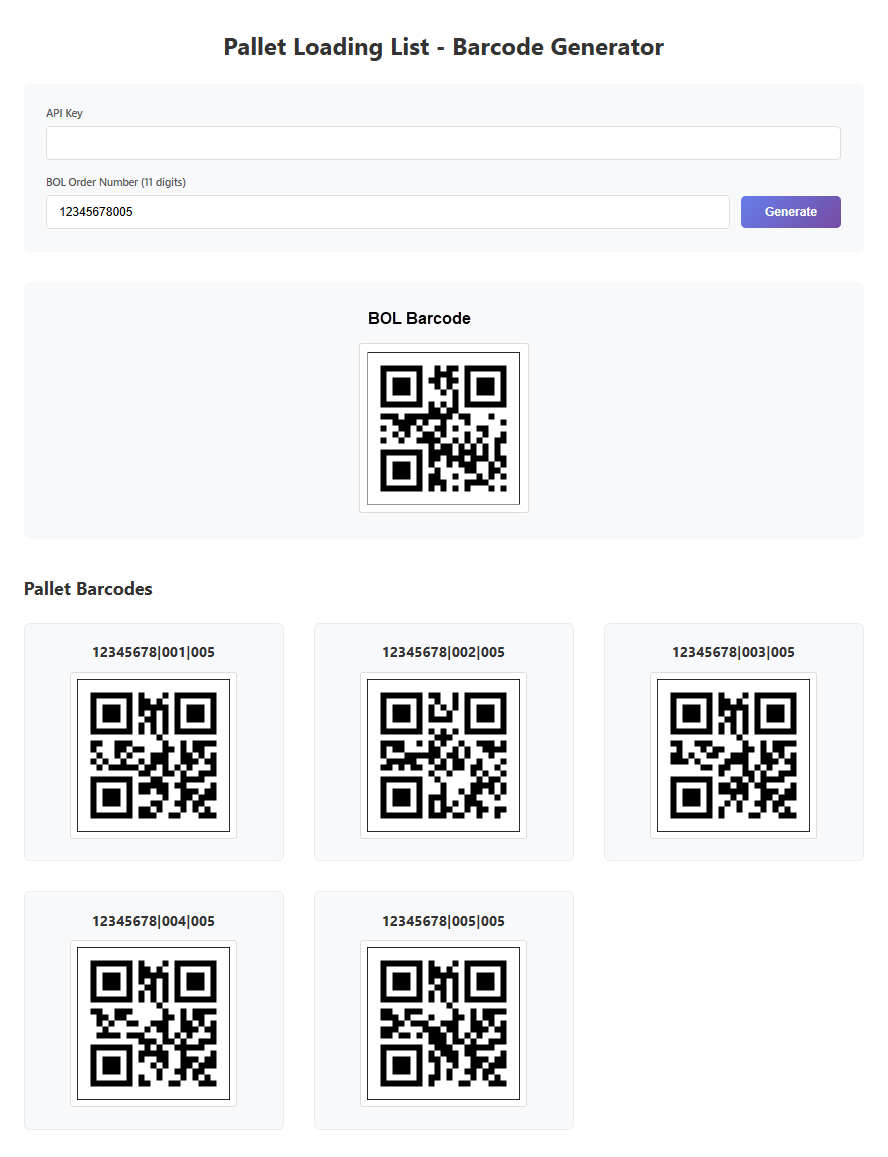
A. Create a Free or Business Starter account on CodeREADr.com. Email support@codereadr.com and ask them to create a sample BOL service for you. They will give you the demo BOL Barcode URL, an App Username, and your API Key. Enter your API Key in the generator’s form field.
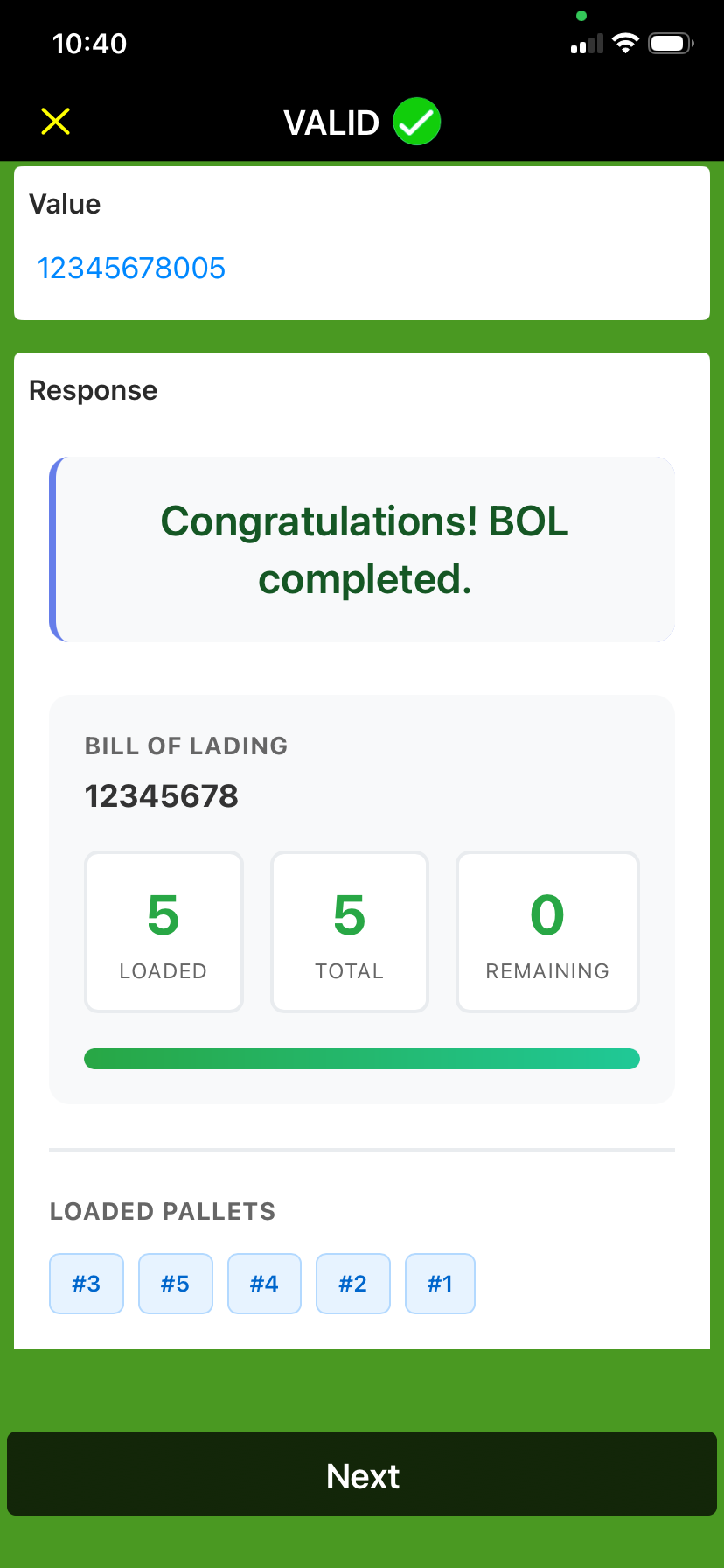
B. Enter your demo BOL Order Number in the form field. Then scan the BOL Barcode followed by each of the Pallet Barcodes until you get the “Completed” in-app message.